
The best China eSIM depends on how it routes data.
For China, price and gigabytes are not enough. Verify whether the exact plan uses international routing, whether blocked apps work without a VPN, when validity starts, and whether your unlocked phone can install it.
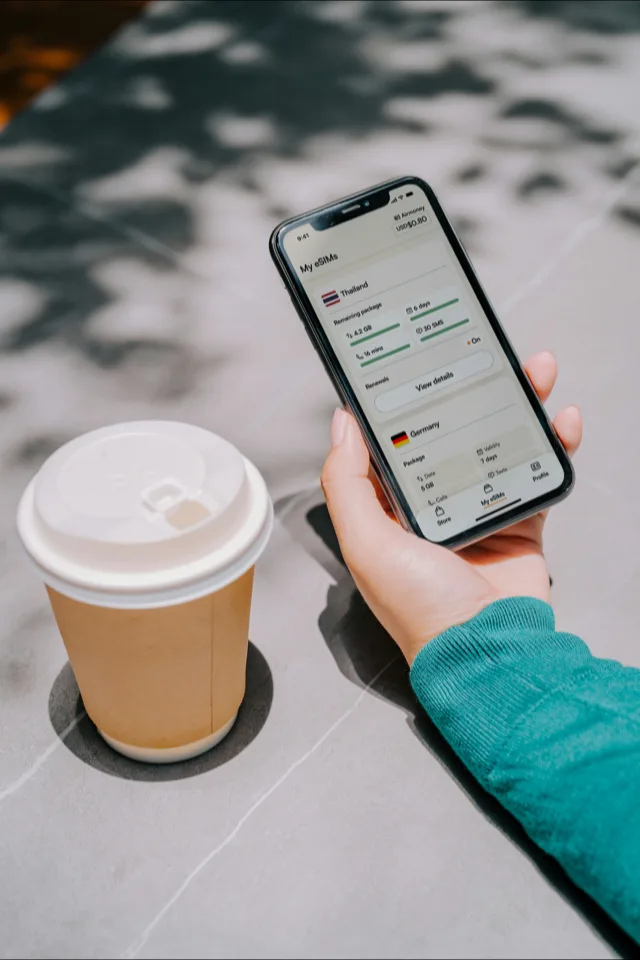
A China travel eSIM can be the simplest arrival-data option, but eSIM does not automatically mean firewall bypass. The decisive question is where the provider routes your traffic. Confirm that product claim, then check device support, installation timing and data size.
For the broader question of blocked apps, VPNs, hotel Wi-Fi and local alternatives, start with the Internet in China guide. This page stays on the buying and setup decisions.
Ask whether the exact China plan uses international routing and which blocked apps it supports.
Download the app, add the eSIM line and keep the QR/manual code saved before travel.
The exact model must support eSIM and must not be locked to a home carrier.
Will a China eSIM bypass the Great Firewall?
Some travel eSIMs can reach Google, Gmail, WhatsApp and other normally blocked services because their mobile data is routed internationally. That is a provider-and-plan feature, not a property of eSIM technology itself. Airalo currently states this explicitly for its China, Asia and Global products. Treat that as a provider claim to verify at purchase time, not a permanent guarantee for every eSIM sold on a marketplace.
- Ask about the exact product. A provider may sell several China, Asia and global plans with different routing partners.
- Hotel Wi-Fi is separate. Internationally routed mobile data does not change how the hotel network or a later mainland SIM handles blocked services.
- Save setup and support details offline. Install the profile, capture the APN and support route, and keep the QR/manual code before departure.
- Keep a compliant backup. Access conditions and provider routing can change; follow local law and do not make one untested data line your only way to reach bookings.
Pick by plan mechanics
Coverage matters, but most mistakes happen earlier: the phone cannot add the eSIM, the validity clock starts too soon, or the plan is too small for navigation-heavy days. Compare providers through these concrete checks.
| Check | What to confirm before buying |
|---|---|
| Phone model | Check the exact model number, not just the marketing name. Some regional iPhones have different eSIM support. |
| Carrier lock | An eSIM-ready phone can still reject a travel eSIM if the device is locked to a home carrier. |
| Activation trigger | Look for whether validity starts at purchase, installation, selected date or first connection in China. |
| Top-up path | Prefer plans you can extend in-app without needing a new QR code while standing on the street. |
| Hotspot policy | Check tethering if you plan to feed a laptop or another traveller's phone. |
| Option | What its current page supports | What to verify before checkout |
|---|---|---|
| Airalo | Provider says its China, Asia and Global eSIMs use international routing and do not require a VPN for filtered services. | Exact package, fair-use policy, hotspot, activation and supported apps. |
| Saily | China page publishes activation, top-up, hotspot and data-only terms and says a VPN is not needed to use its China eSIM service. | Ask support whether the selected plan reaches each blocked service you require. |
| Klook marketplace | Convenient voucher checkout, but individual listings can come from different connectivity suppliers. | Read the named operator, routing, speed cap, activation clock, hotspot and refund terms on that listing. |
Comparison method: provider documentation and checkout terms, not invented performance scores. We have not conducted controlled speed tests across these three products in multiple Chinese cities.
How much data to buy
Buy for the worst day, not the average day. Arrival, intercity transfers and bad weather days use more data because you lean harder on maps, translation, ride-hailing, tickets and messaging.
| Trip style | Starting size | Watch out for | Better choice |
|---|---|---|---|
| Light city break | 3-5GB | No video, limited hotspot, hotel Wi-Fi for uploads | Small plan with easy top-up |
| Normal 7-14 days | 10GB | Maps, DiDi, translation, tickets and payment checks add up quickly | 10GB plan or regional bundle |
| Work trip | 10-20GB | Laptop hotspot and cloud sync can drain a small plan in a day | Larger plan plus VPN backup |
| Family or shared hotspot | One plan per adult | A single hotspot phone becomes a single point of failure | Independent eSIMs for each key phone |
Match the plan to the itinerary
Prefer top-up control
High-speed rail days are data-heavy: station maps, QR tickets, hotel directions, ride-hailing and translation all happen back to back.
Verify hotspot and routing
Confirm tethering, fair-use speed and access to the exact cloud services you need. Hotel Wi-Fi follows a different network route from the travel eSIM.
Bridge the first week
Buy an eSIM for arrival and setup, then decide whether a registered local SIM is worth the time and passport check.
Avoid one shared lifeline
Each adult should have enough independent data to call a ride, open tickets and message the hotel if the group splits up.
Do not assume the travel eSIM also changes hotel Wi-Fi, a local SIM or a laptop using another connection. If you need a separate access tool, install and test a lawful option before departure and review the Internet & VPN guide for the wider strategy.
How to set up a China eSIM
Apple’s March 2026 guidance says only iPhone Air A3518 and iPhone 17e A3635 support mainland-operator eSIM in China. Rules for an international travel eSIM differ, so check your model, purchase region and provider compatibility together.
A phone can support eSIM and still reject a travel plan if it is locked to your home carrier. Check this before buying a voucher you cannot refund.
Download the provider app, add the eSIM profile and save the QR or manual installation code while you still have normal internet access.
Some plans start on first connection, some on installation and some on a selected date. Set the travel eSIM as your mobile data line only when you are ready to use it.
Sources and checks
Reviewed 22 July 2026. Device guidance comes from Apple’s international travel-eSIM guide and its China-mainland model rules. Routing and plan statements are attributed to the providers: Airalo’s China routing explanation, Saily’s China terms and the specific Klook listing at checkout. Provider claims and prices can change and are not presented as independent network tests.
China eSIM questions
How do I choose a China eSIM?
Check four things before price: your phone supports eSIM and is unlocked, the plan covers mainland China, the validity clock starts when you expect it to, and you have enough data for maps, translation, rides and payment checks. Only then compare Saily, Airalo, Klook or another provider.
Will every phone work with a China eSIM?
No. Your phone must support eSIM and be carrier-unlocked. Apple publishes separate China-mainland eSIM support rules for iPhone models and notes that most iPhones bought in mainland China do not support eSIM, so check the exact model and purchase region before buying a travel plan.
How much data should I buy?
For a light one-week trip, 3-5GB can work if you avoid video. For a normal 7-14 day itinerary, 10GB is a safer starting point. Heavy maps, uploads, hotspot use or family sharing need a larger or top-up-friendly plan.
When should I install and activate the eSIM?
Install the eSIM profile before departure while you still have normal internet. Activate the data line when the provider tells you to: some plans begin on first network connection, while others start immediately or on a chosen date.
Do I still need a VPN with a travel eSIM?
It depends on the exact plan’s routing. Airalo states that its China, Asia and Global eSIMs use international routing and do not need a VPN for blocked services. Other products may route differently, and hotel Wi-Fi or a local SIM remains subject to mainland filtering. Verify the specific plan in writing and install a lawful fallback before departure if you need one.
Commercial note — Saily, Airalo and Klook links may be affiliate links. The price is unchanged for you. Options are listed without a paid ranking or unsupported score; choose from the exact routing and checkout terms. Read the full policy.