
China eSIM: choose the right plan before you fly.
This page is about the eSIM details that decide whether your phone comes online smoothly: compatible model, unlocked carrier status, activation timing, plan validity and realistic data size.
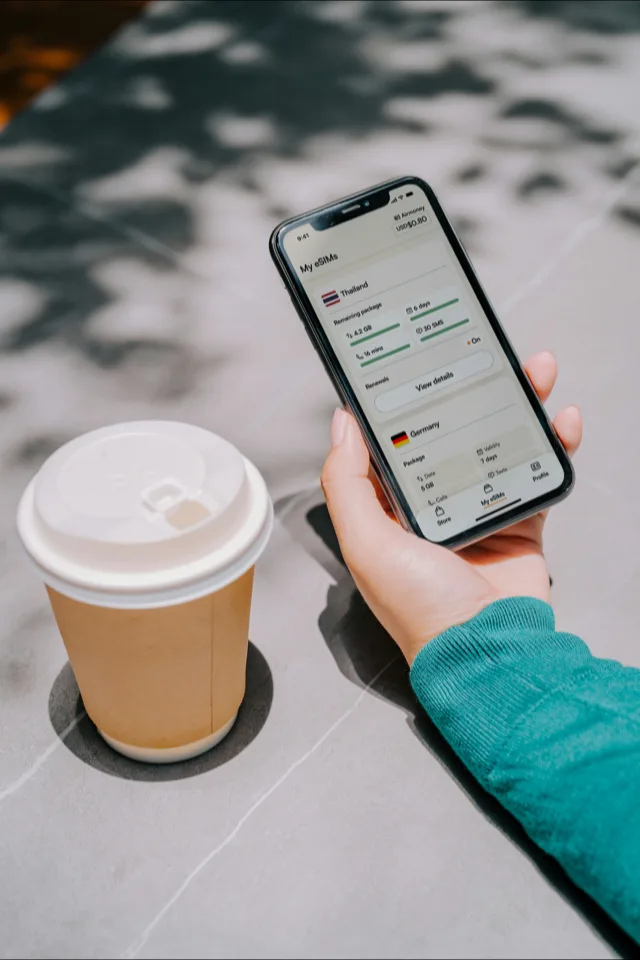
A China travel eSIM is not a magic checkbox. The good experience comes from buying the right kind of plan for your phone, installing the profile while your normal internet still works, and knowing when the validity period begins.
For the broader question of blocked apps, VPNs, hotel Wi-Fi and local alternatives, start with the Internet in China guide. This page stays on the buying and setup decisions.
Your phone must support eSIM and must not be locked to a carrier contract.
Download the app, add the eSIM line and keep the QR/manual code saved before travel.
Normal two-city trips burn data through maps, DiDi, translation, tickets and payment checks.
Pick by plan mechanics
Coverage matters, but most mistakes happen earlier: the phone cannot add the eSIM, the validity clock starts too soon, or the plan is too small for navigation-heavy days. Compare providers through these concrete checks.
| Check | What to confirm before buying |
|---|---|
| Phone model | Check the exact model number, not just the marketing name. Some regional iPhones have different eSIM support. |
| Carrier lock | An eSIM-ready phone can still reject a travel eSIM if the device is locked to a home carrier. |
| Activation trigger | Look for whether validity starts at purchase, installation, selected date or first connection in China. |
| Top-up path | Prefer plans you can extend in-app without needing a new QR code while standing on the street. |
| Hotspot policy | Check tethering if you plan to feed a laptop or another traveller's phone. |
Best first stop if you want a clean app, straightforward regional plans and an easy install flow before departure. Check the exact China plan terms and top-up options before checkout.
How much data to buy
Buy for the worst day, not the average day. Arrival, intercity transfers and bad weather days use more data because you lean harder on maps, translation, ride-hailing, tickets and messaging.
| Trip style | Starting size | Watch out for | Better choice |
|---|---|---|---|
| Light city break | 3-5GB | No video, limited hotspot, hotel Wi-Fi for uploads | Small plan with easy top-up |
| Normal 7-14 days | 10GB | Maps, DiDi, translation, tickets and payment checks add up quickly | 10GB plan or regional bundle |
| Work trip | 10-20GB | Laptop hotspot and cloud sync can drain a small plan in a day | Larger plan plus VPN backup |
| Family or shared hotspot | One plan per adult | A single hotspot phone becomes a single point of failure | Independent eSIMs for each key phone |
Match the plan to the itinerary
Prefer top-up control
High-speed rail days are data-heavy: station maps, QR tickets, hotel directions, ride-hailing and translation all happen back to back.
Separate phone and laptop
Use the eSIM for phone reliability, then keep a VPN and hotel Ethernet/Wi-Fi plan ready for longer work sessions.
Bridge the first week
Buy an eSIM for arrival and setup, then decide whether a registered local SIM is worth the time and passport check.
Avoid one shared lifeline
Each adult should have enough independent data to call a ride, open tickets and message the hotel if the group splits up.
Install one VPN before departure even if the eSIM is your main data route. The VPN covers the moments outside the travel plan itself: room networks, computer logins, a later China SIM, or a provider app you cannot reach after the bundle is empty. See the Internet & VPN guide for the full access strategy.
How to set up a China eSIM
Open your device settings and confirm eSIM support by model number. Apple’s China-mainland support page is more precise than a generic "iPhone XS or newer" rule, especially for devices bought inside mainland China.
A phone can support eSIM and still reject a travel plan if it is locked to your home carrier. Check this before buying a voucher you cannot refund.
Download the provider app, add the eSIM profile and save the QR or manual installation code while you still have normal internet access.
Some plans start on first connection, some on installation and some on a selected date. Set the travel eSIM as your mobile data line only when you are ready to use it.
Sources and checks
Compatibility guidance is checked against Apple's eSIM support page for China mainland. Plan information is checked against provider checkout pages such as Saily China eSIM and Klook's China eSIM voucher page before we update recommendations.
China eSIM questions
How do I choose a China eSIM?
Check four things before price: your phone supports eSIM and is unlocked, the plan covers mainland China, the validity clock starts when you expect it to, and you have enough data for maps, translation, rides and payment checks. Only then compare Saily, Airalo, Klook or another provider.
Will every phone work with a China eSIM?
No. Your phone must support eSIM and be carrier-unlocked. Apple publishes separate China-mainland eSIM support rules for iPhone models and notes that most iPhones bought in mainland China do not support eSIM, so check the exact model and purchase region before buying a travel plan.
How much data should I buy?
For a light one-week trip, 3-5GB can work if you avoid video. For a normal 7-14 day itinerary, 10GB is a safer starting point. Heavy maps, uploads, hotspot use or family sharing need a larger or top-up-friendly plan.
When should I install and activate the eSIM?
Install the eSIM profile before departure while you still have normal internet. Activate the data line when the provider tells you to: some plans begin on first network connection, while others start immediately or on a chosen date.
Do I still need a VPN with a travel eSIM?
Keep one installed before departure. The eSIM handles mobile data on your phone, while the VPN is the fallback for room Wi-Fi, computer sessions, a China SIM, or a top-up problem after the data bundle is empty.
Commercial note — Saily, Airalo and Klook links may be affiliate links. The price is unchanged for you; our order is based on setup clarity, plan mechanics, top-up control and device-fit checks. Read the full policy.